Someone asks for proof
Insurance applications, customer security questionnaires and contracts ask what you have and how you protect it. Saying “we keep a device list” is easier than showing one that is complete.
// scout for offices · with securidigm baseline · available now
For small businesses using Securidigm Baseline. Scout’s office mode is the same Scout box, virtual machine or recording, pointed at an ordinary business network instead of a control network. It lists every device it sees, flags the risky ones in plain English, and links each finding to the NIST CSF 2.0 outcome it helps you show.
One-time price: $1,500 as an add-on to Baseline, or $1,950 on its own, with optional renewal at 20% a year. Covers 1 office, 1 sensor and up to 100 employees. Hardware: about $250–$300 from our parts list.
// see it work
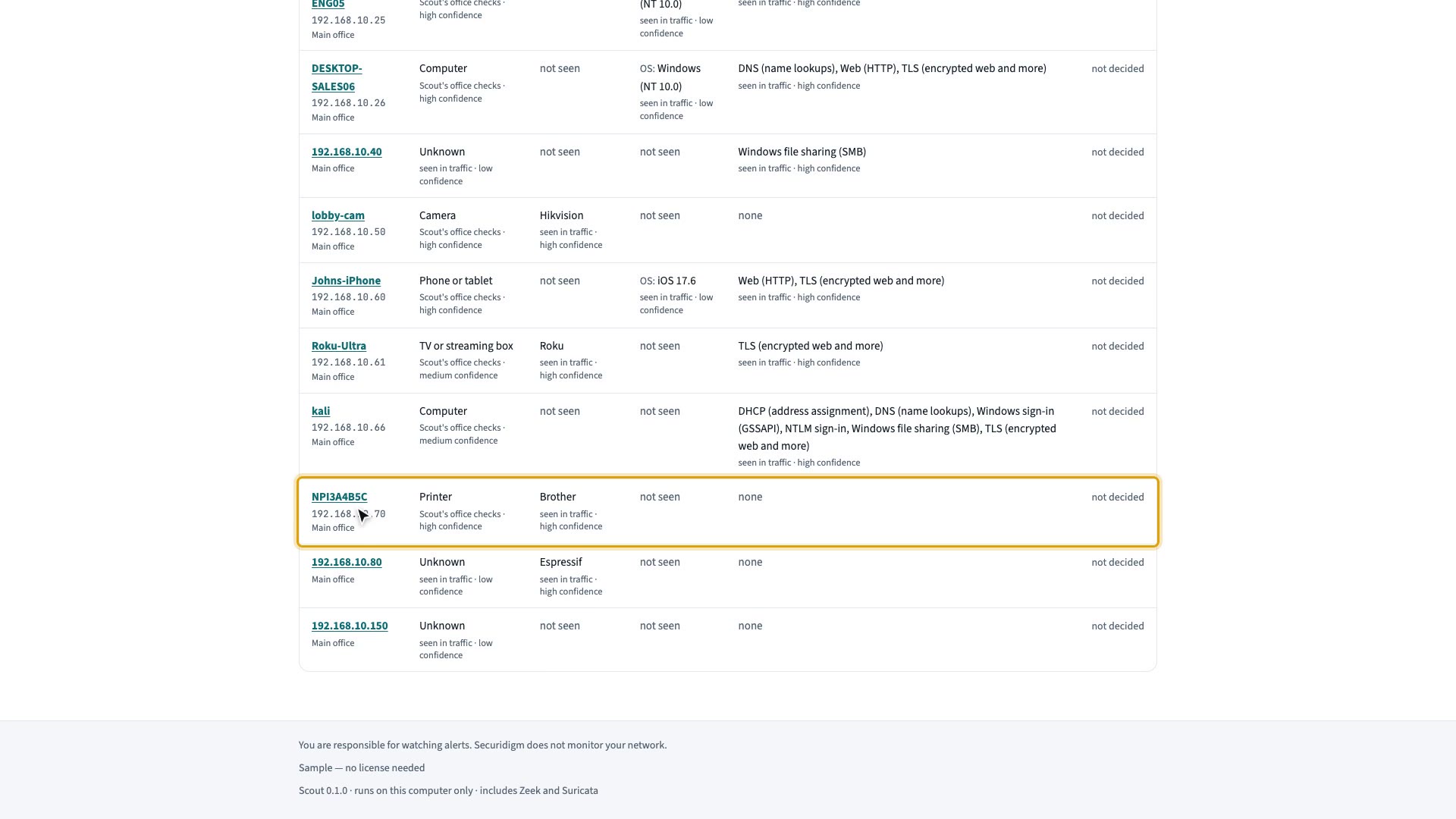
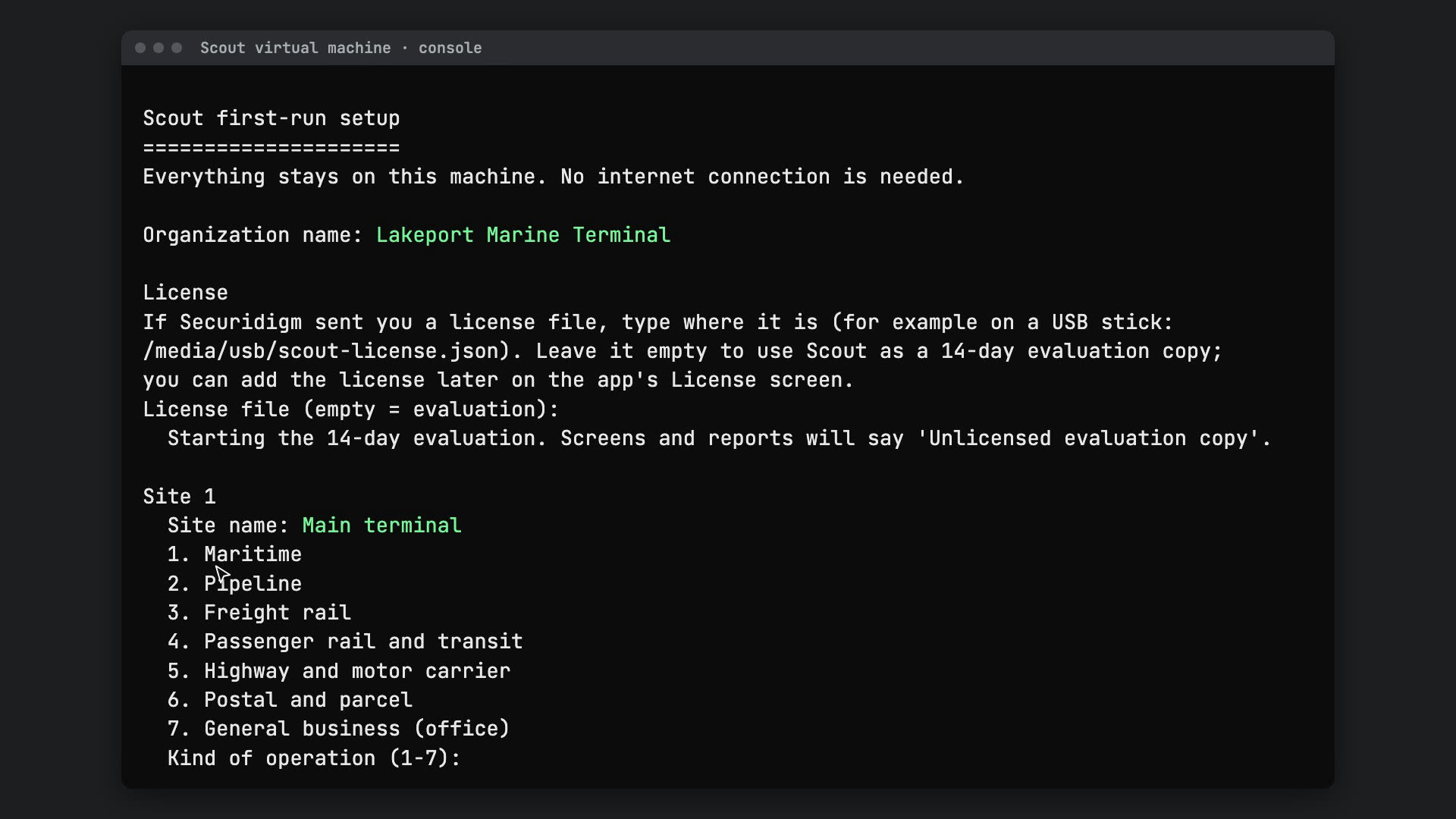
A narrated tour of Scout on a sample dental office: every device it finds, the risky ones in plain English, and the proof it gives you for your Baseline answers. Beside it: how to install Scout as a virtual machine.
Walkthrough · a sample dental office
 Play the walkthrough (4 min 0 s, opens YouTube in a new tab)
Installing Scout · Scout and Scout for offices
 Play the installation video (4 min 46 s, opens YouTube in a new tab)
Cybersecurity often lands on the owner or the office manager, with no security team behind them.
Insurance applications, customer security questionnaires and contracts ask what you have and how you protect it. Saying “we keep a device list” is easier than showing one that is complete.
In most small offices, no one looks at what the computers, printers and phones actually do on the network, so a forgotten device or an unexpected connection goes unnoticed.
A remote-access tool a past IT provider installed and nobody removed. An old Windows setting still switched on. A guest Wi-Fi that reaches the office computers. None of these show up on a checklist by themselves.
From a copy of the traffic alone, with nothing installed on your computers.
Computers and servers, plus the ones nobody listed: cameras, printers, smart TVs and speakers, and staff members’ personal phones. You confirm each one and mark what matters.
The software and Windows versions Scout can see in the traffic, with outdated ones flagged against the signed advisory file from Securidigm Watch.
TeamViewer, AnyDesk, ScreenConnect, remote desktop and similar tools, a common way into small businesses. You approve the remote connections you expect, by computer and tool; Scout flags the rest.
Older Windows name lookups and sign-in methods that attackers use to capture or crack passwords, and email sign-ins sent without encryption. Scout names the computers still using them.
DNS is how computers look up website names. Scout flags random-looking names, unusual lookup patterns that can hide stolen data, and devices that skip your company’s own lookup service.
A computer sending far more data out than it usually does, or to a cloud-storage site your business doesn’t use.
You mark your guest network; Scout flags any guest device that talks to your office computers or servers.
A signed list of known-bad sites arrives with the signed advisory file from Securidigm Watch, carried in by USB stick if you like. Scout checks your traffic against it without ever going online.
Plain limits. Most office traffic to cloud services is encrypted, so Scout sees which devices talk to which sites, and how much, but not what is inside. Many small offices have no network switch that can copy traffic (a mirror port); our parts list includes a low-cost switch that can. Scout listens; it doesn’t scan, test or block anything.
Baseline asks about the NIST CSF 2.0 outcomes as plain questions. Scout doesn’t make you compliant, and there is no such thing as “NIST compliant.” It helps you show your answers with evidence from your own network. Questions below are worded as Baseline asks them.
| Scout finding | CSF 2.0 outcome | Baseline asks |
|---|---|---|
| Every device it sees | ID.AM-01 | Do you keep an up-to-date list of the computers, phones, and other devices your business uses? |
| Software and versions seen | ID.AM-02 · PR.PS-02 · ID.RA-01 | Are software updates installed promptly, and is unsupported or unused software removed? |
| Unapproved remote tools, known-bad sites | PR.PS-05 | Do you stop staff from installing unapproved software and block known malicious websites? |
| Old Windows settings, plain-text passwords | PR.PS-01 · PR.AA-03 | Are your devices and cloud services set up with secure settings, not left on the defaults? |
| Guest Wi-Fi reaching business machines | PR.IR-01 | Is your office network, Wi-Fi and remote access protected so only approved people and devices get in? |
| DNS oddities, large uploads, new devices | DE.CM-01 · DE.AE-02 | In Baseline’s full assessment of all 106 outcomes: whether your networks are monitored, and unusual events looked into (our summary). |
ID.AM is asset management, PR is protection, DE.CM is continuous monitoring. Each finding in Scout’s report names its CSF 2.0 outcome. Opening Scout’s file directly inside Baseline is built when a customer asks for it; until then, the printed report carries the same codes, and you attach it to your Baseline answers as proof.
Free network monitors exist, and Scout is built on them. They assume someone who reads network logs for a living. In most small offices, that person doesn’t exist.
$129,180
a year: what a typical security analyst earns, the kind of expert the free route needs.
Median yearly pay for information security analysts, May 2025. U.S. Bureau of Labor Statistics, Occupational Outlook Handbook (BLS)
$1,500
once, for Scout for offices with Baseline ($1,950 without). Office hardware is about $250–$300.
| The work | Free tools alone | Scout for offices |
|---|---|---|
| Setup | Install and configure a network monitor, or pay IT to | A small box or virtual machine and a short setup wizard |
| Reading the results | Technical logs and alerts | Plain words, like “guest Wi-Fi can reach the front desk PC,” with what to do |
| Proof | Nothing an insurer or customer recognizes | Findings tied to NIST CSF 2.0 outcomes, ready for Baseline |
| Keeping current | You follow security news yourself | Updates and a known-bad list from Watch, still offline |
| Help | Community forums | Email support for the first year; renewal optional |
// passive
It only listens
Scout reads a copy of the traffic. It never scans, signs in to or changes your computers.
// offline
Nothing leaves the building
No internet, no “phone home,” no remote access by us. Updates and the known-bad list are signed files you load yourself.
// no account
Nothing to sign up for
No cloud service and no account with us, just like Baseline. Your findings stay on your own equipment.
// plain english
Written for the office
Each finding says what Scout saw and what to do next, in office terms, so you can act on it or hand it to your IT provider.
Baseline is not a security tool: it doesn’t scan or monitor your computers. Scout is the part that watches the network. Together they cover both halves.
// securidigm baseline · available now
The full NIST Cybersecurity Framework 2.0, in plain language. Start with 30 essentials or assess all 106 outcomes, see where you stand, and get the policies and plans insurers and customers ask for, plus a step-by-step path if you’re breached. Offline, encrypted on your own computer. See securidigm.com.
// scout office mode · available now
A device list built from what is really on the network, the risky settings and tools it finds, and a report that names the CSF 2.0 outcome each finding supports, ready to attach to your Baseline answers.
Getting started works the way it does for Scout: bring a week-long recording with nothing installed, run the virtual machine on a computer you already have, or plug in the small box.
// for small businesses using baseline
Tell us about your business and we’ll walk you through Scout on a sample office network, and explain how to record a week of your own traffic safely. No sales pressure, no account to create.
Tell us about your business
Opens your own email program with the request filled in; nothing is sent until you send it. Or write to [email protected].